
Open Source Alternatives to Granola and Otter (Nov 2026)
An honest look at open source alternatives to Granola and Otter in November 2026: Meetily, Anarlog, Amical and Roofle, and who each one suits.
Roofle team · · 9 min read
Granola and Otter solve the same problem in opposite ways, and neither one is open source. If you want a meeting copilot whose code you can read, whose audio stays on your machine, or whose bill you control, the open source field in November 2026 is better than it was a year ago. It is also more uneven than the READMEs suggest.
I build Roofle, one of the tools on this list, so read my opinions with that in mind. I have tried to be fair, and I say where I would send you somewhere else.
What is the short answer?
If you want notes shaped for your job, try Roofle. It asks for your role first, and a product owner and a tech lead get different notes from the same call.
If you want Otter without the bot, look at Meetily or Anarlog. Both capture microphone and system audio without joining your call.
If you need Windows and macOS installers today, Meetily is the most straightforward.
If you mostly want to dictate into other apps, Amical is a different kind of tool. It is not really a meeting copilot yet.
What do Granola and Otter actually get right?
It helps to know what you are replacing, because the open source tools copy different halves of these two products.
Granola is a notepad. You type rough notes during the call, and it merges them with the transcript afterwards. No bot joins, so nobody on the call sees a stranger in the participant list. The weakness for privacy-minded teams is that transcription happens in the cloud, and the code is closed.
Otter is a recorder. It joins as a bot, transcribes everything, and gives you a searchable archive and shareable summaries. That works well for teams who want one shared record. It is also the part many people dislike, because a bot announcing itself changes how a sales call or a sensitive conversation feels.
Both are good at the same three things: capturing the conversation, summarizing it, and plugging into the other tools you use. I will say that plainly, because it is why people stay.
Why did I stop being happy with them?
Not because they are bad. Capture, summaries and integrations all worked. The problem was that the notes came out the same shape no matter who I was or who would read them.
Take one sprint planning call. A product owner needs scope changes, priority calls, stakeholder commitments and what moved on the roadmap. A tech lead needs the technical decisions, dependencies, risks and who owns which piece. Same hour of conversation, two different documents. A generic summary gives both people the average of the two, and neither one can use it as it stands.
What I wanted was a tool that knows my role and works for it: what to listen for, what to put at the top, which questions to nudge me to ask while people are still talking. That is a bespoke problem, not a better-summary problem, and it is the reason I ended up building Roofle.
Which open source alternatives are worth trying?
Roofle: notes that follow your role
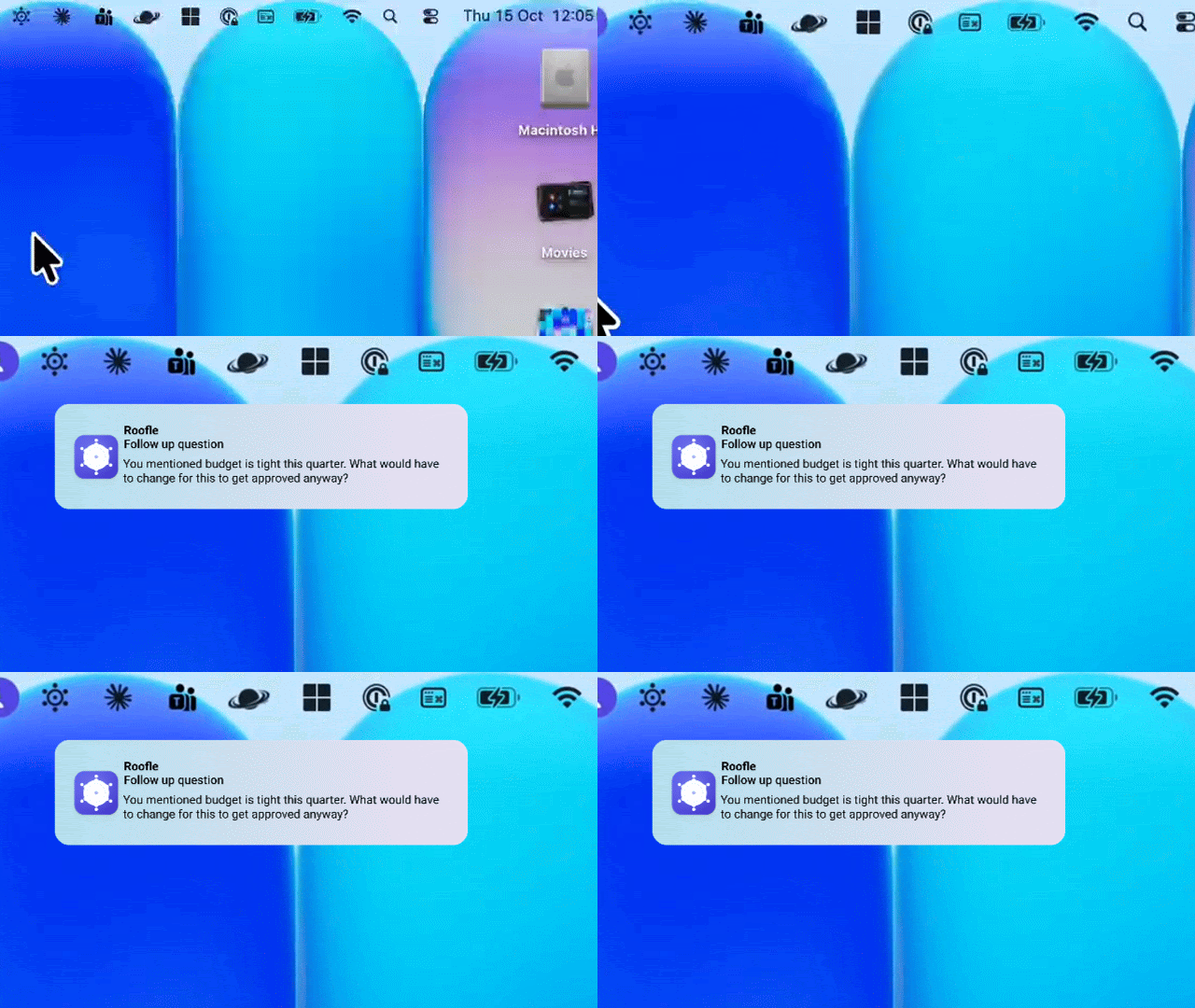
Roofle is free and open source, runs speech recognition on your Mac, and never sends a bot to your call. You pick your role first, such as sales, recruiter, product manager, founder, customer success or engineer. Live notes and suggested follow-up questions then follow that job. You bring your own model: an API key or a local one. You can read how that costs out.
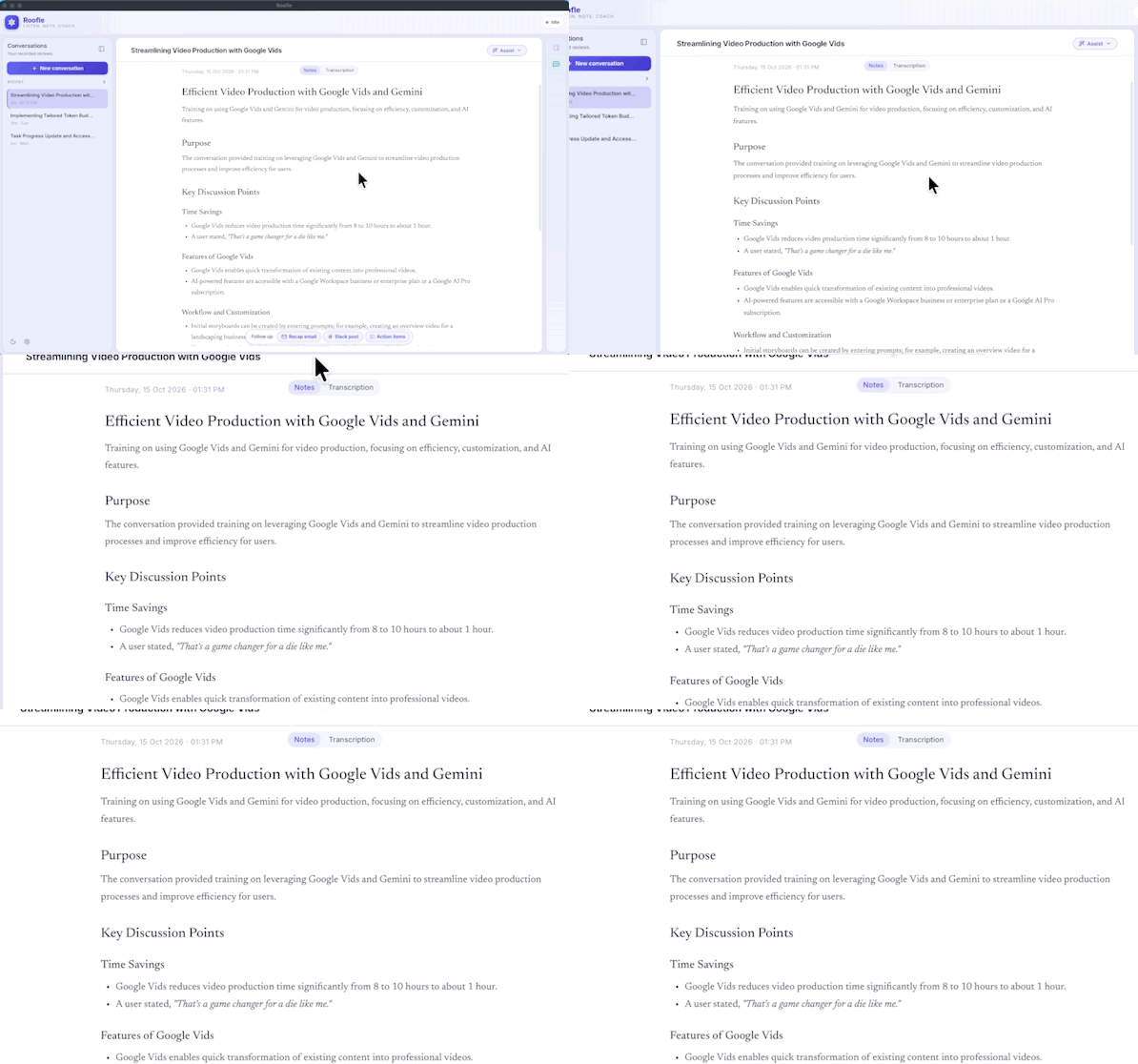
Here is where it falls short. It needs an Apple Silicon Mac today, with Windows still to come. It does not give a team a shared archive the way Otter does. And it does not assign or track action items, so those still have to land in your task board. If you need any of those, pick something else from this list.
Meetily: the closest thing to a local Otter
Meetily captures microphone and system audio with no meeting bot, then transcribes with Whisper or Parakeet and summarizes through Ollama. The Community edition is MIT licensed, and you get installers for Windows and macOS. On Linux you build from source.
It is the most "set it up and let it record" option here, which is why it suits people coming from Otter. The trade-off is that you are more of a recorder than a note-taker, and local summaries are only as good as the model you run through Ollama. There is a paid Pro tier, around $10 per user per month on an annual plan, if you want commercial features.
Anarlog: the most flexible on models
Anarlog is aimed at live meetings where you take your own notes and pick the AI. It captures microphone and system audio without a bot. For speech it offers Soniqo Parakeet, Apple Speech or a whisper.cpp file on supported Apple Silicon Macs, plus a local server option. For text it works with Ollama, LM Studio, Unsloth and eligible Apple Intelligence.
It runs on macOS, Windows and Linux, though model support differs by platform, so check yours before you commit. The community code is MIT. Pro is $14 a month or $140 a year, and there is a separate commercial Enterprise scope. If you like tinkering with which model does what, this is the one with the most knobs.
Amical: great idea, different job
Amical is an MIT licensed desktop app for dictation. You speak, and text lands in whatever app you are using. It uses Whisper, and works with Ollama or an OpenAI-compatible local server. Mac and Windows are supported, and Linux is not.
Microphone plus system-audio meeting transcription is planned, not shipped. So today it is not a Granola or Otter replacement. I include it because people search for it alongside the others, and because if your real pain is typing, it may be the better fit.
How do they compare on the things that decide it?
Skip the feature lists and ask these questions instead.
| If your priority is | Start with | Why |
|---|---|---|
| Notes tuned to your role | Roofle | Pick your role and get notes and follow-up questions for that job |
| Live prompts during a call | Roofle | Suggested questions appear while people are still talking |
| Replacing Otter without a bot | Meetily | Recorder-first, simple installers, Windows and macOS |
| Choosing every model yourself | Anarlog | Widest range of speech and text options |
| Linux desktop | Anarlog | Meetily needs a source build, Amical does not support it |
| Typing less in any app | Amical | Built for dictation, not meetings |
| A shared team archive | Otter, still | None of the open source options match it yet |
What does role-aware actually change?
It changes what gets written first. The same sprint planning call, run through a role, comes out like this.
| Product owner | Tech lead | |
|---|---|---|
| Leads with | Scope changes and priority calls | Technical decisions and dependencies |
| Watches for | Stakeholder commitments, dates promised | Risks, blockers, who owns which piece |
| Asks next | Is this still the right priority? | What breaks if this slips? |
None of this is magic. It is a prompt that knows who is asking. But it is the difference between notes I skim and notes I use, and no amount of better summarizing fixed that for me.
What about local models?
Honest pattern: local transcription is good enough, and local summarization is the uneven part. Speech recognition on a modern Apple Silicon Mac handles clear English well. Accents, crosstalk and bad microphones are where every tool, cloud or local, gets worse. Summaries from a small local model tend to be plainer than what a hosted model gives you, and that is the main quality gap you will feel.
My practical advice: test with a real meeting, not a demo. Run the same call through two tools and read both outputs against what was actually said. If you want more on that check, read why AI meeting notes are not enough.
Is open source actually private?
Only if you check the setup. "Open source" means you can read the code. It does not promise your audio stays on your device. A tool can be open source and still send audio to a cloud transcription API by default.
Before you trust any of them, confirm three things. Where does speech recognition run? Where does the text go for summarizing? What is stored on disk, and for how long? With a local speech model and a local LLM, nothing leaves your machine. With a hosted model, the transcript text goes to that provider. Neither is wrong, but you should know which one you chose. The privacy page describes what Roofle does.
When should you stay with Granola or Otter?
Stay put if your team shares notes in one place and everyone is already in the habit. Otter's shared archive and Granola's polish are real, and switching costs real time. Closed tools also work on Windows and phones without fuss, where several open source options are still catching up.
Move if the audio itself is sensitive, if a bot on the call is hurting your conversations, or if the per-seat bill no longer makes sense. Those are good reasons. "Open source is better" on its own is not.
If you are weighing Roofle specifically, there are honest side-by-side pages for Granola and Otter.
FAQ
What is the best open source alternative to Otter? For a bot-free recorder with simple installers, Meetily is the closest. For more control over models, look at Anarlog. None of them replace Otter's shared team archive yet.
What is the best open source alternative to Granola? Anarlog and Roofle are both built around your own notes with AI filling in around them. Roofle tunes notes and live follow-up questions to your role. Anarlog supports more platforms and models.
Can I run a meeting copilot completely offline? Yes. Pair a local speech model with a local LLM through Ollama or LM Studio. Expect plainer summaries than a hosted model gives you.
Do notes differ by role? In Roofle, yes: you pick a role such as product manager or engineer, and the notes and suggested questions follow it. In the other tools here I did not find role-based tuning, but check their docs, because features change fast.
Do these tools join my call as a bot? Meetily, Anarlog, Roofle and the planned Amical meeting mode capture audio from your computer instead, so no bot appears in the participant list. You should still tell people you are transcribing.
Are open source meeting tools free? The community code is free. Some have paid tiers for commercial or team features. With a local model your running cost is your hardware. With a hosted model you pay the provider per use.
Does any of this work on Windows or Linux? Meetily has Windows and macOS installers and a Linux source build. Anarlog covers macOS, Windows and Linux with model support differing by platform. Roofle is Apple Silicon only for now.
Is it legal to transcribe meetings? It depends on where you and the participants are. Many places require consent, so tell people first and check your local rules and company policy.
Get started
Pick one recurring meeting this week and run it through one open source tool, then compare the output against your own memory. If you want notes that fit your role, download Roofle and see what it costs. It is free and open source, and I would rather you try two tools than take my word for it.